 Submit

Hosted or BYOK Model Access
Connect your own API keys or subscribe to Chatbox AI's hosted service to switch between models such as GPT, Claude, Gemini, Grok, and DeepSeek in one interface.
 WordOnThis

 Search
Multi-model AI client with knowledge base, web search, and Work Mode.
Are you the maker of Chatbox AI?
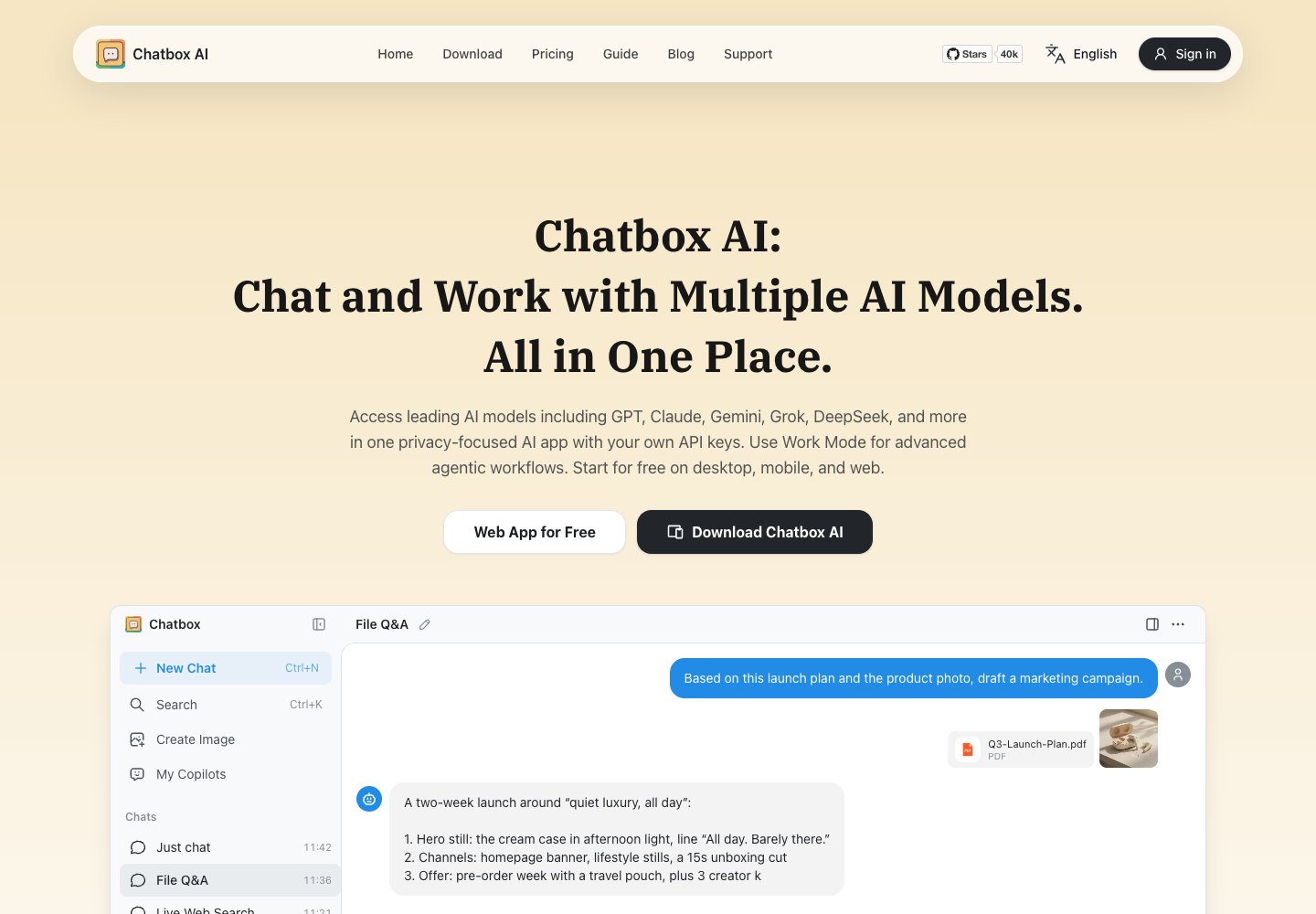
Connect your own API keys or subscribe to Chatbox AI's hosted service to switch between models such as GPT, Claude, Gemini, Grok, and DeepSeek in one interface.
Upload PDFs, Word documents, images, or code snippets for immediate Q&A, or store private documents in the desktop-only Knowledge Base for local semantic retrieval.
Assign multi-step goals in Work Mode so the agent can inspect files, search the web, write code, and invoke connected MCP tools to complete tasks.
Prompt for code generation with instant live previews alongside formatted Markdown, LaTeX mathematical formulas, and Mermaid diagrams for clearer technical and analytical documentation.
10,000 daily points and five images.
2 million monthly points and 25 images. Annual billing is shown as US$3.50 per month.
12 million monthly points and 100 images. Annual billing is shown as US$16.70 per month.
30 million monthly points and 200 images. Annual billing is shown as US$33.33 per month.
Chatbox offers a free tier and three paid plans. Annual rates on the official page are monthly equivalents. Model provider fees may apply when using your own API key.
New users who have not purchased any plan can use the Free tier ($0), which provides 10,000 points per day (refreshed daily) and 5 images. To claim it, visit the Chatbox website and log in to your account to see the free plan entry.
Yes. Chatbox spends the included image quota first. Once it runs out, image generation can continue using the plan’s compute points.
No, the Knowledge Base is exclusive to the Chatbox desktop app for Windows, macOS, and Linux. You must download the desktop client to create local knowledge bases and query private documents with it.
Each uploaded file must be smaller than 50 MB. Supported formats are pdf, docx, txt, md, rtf, pptx, xlsx, csv, epub, jpg, jpeg, png, gif, webp, and bmp.
Your chat history is stored locally on your device. Order information is stored on Stripe and the Chatbox backend database.
Chatbox AI runs on the web and offers desktop apps for Windows (64-bit), macOS (Apple Silicon and Intel), and Linux (64-bit and ARM64). Mobile apps are available for iOS on the App Store and for Android via Google Play or direct APK download.
Public experiences and discussions, with links to the originals.
No discussions collected yet.
Explore 29 products that share at least one second-level category.
View all 29 alternatives
AI Hay is a Vietnamese AI question-answering app developed by AI HAY JOINT STOCK COMPANY for learning, research, and work. Users can input text questions, submit images for recognition, and ask follow-up questions to explore topics further. In response, the app outputs step-by-step explanations, offers AI chat personalities, and may cite sources for its answers. Users should check important answers and their sources. The Google Play app includes in-app purchases, while eligible students and educators may qualify for a free Pro upgrade.

Kagi Search is an ad-free web search engine paired with Kagi Assistant, which combines search retrieval and language models for research, alongside user controls to rank domains and filter results with lenses. Users input search queries, research questions, domain ranking preferences, and lens filter selections. The service outputs ad-free search result lists shaped by user domain rankings and lenses, as well as synthesized research responses from Kagi Assistant that draw on search results and language models. Users can inspect linked sources and adjust their search settings.
Found something incorrect? Suggest a correction for our editors. It’s free; no account or email is needed.