WordOnThis

Lets you feel different textures through your Mac’s trackpad

The overview

What is FeelMyMac?

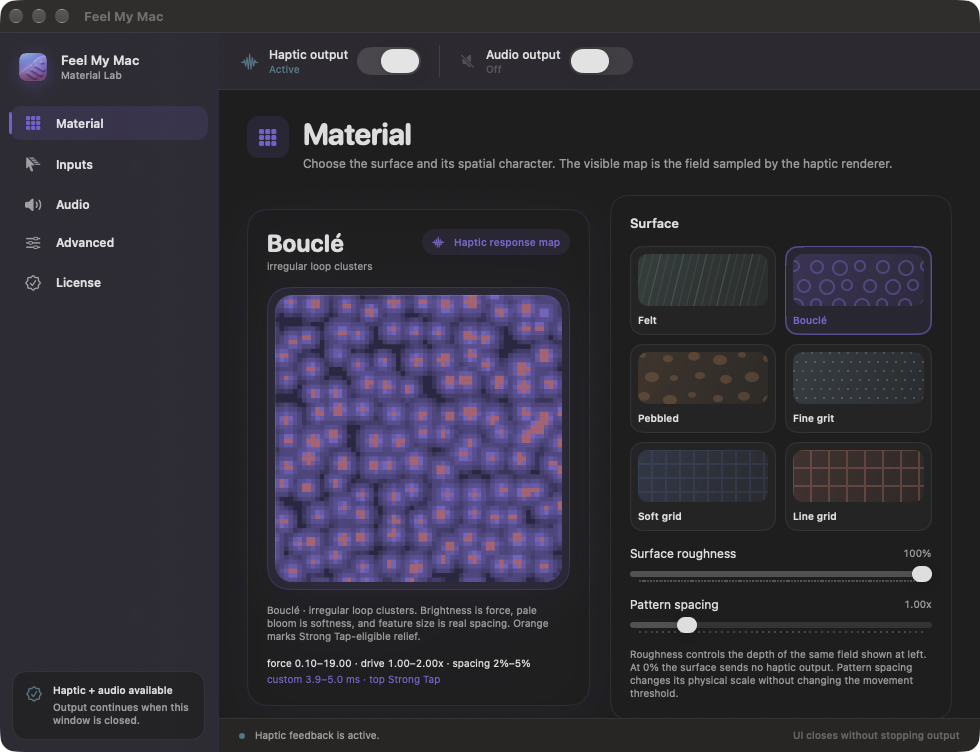
FeelMyMac adds haptic feedback to cursor movement, scrolling and taps on a Mac trackpad. Users can choose simulated surface textures and adjust feedback, with optional sound effects and keyboard sounds. The app runs on Mac hardware with a Taptic Engine and offers a free demo alongside a full license purchase.
FeelMyMac screenshot 1

Around the internet

What people are saying

Public experiences, questions, and discussions.

No discussions collected yet.

Inside the toolkit

Key features

Trackpad haptic materials

Apply tactile material feedback to cursor movement, scrolling, and tap-to-click on compatible Macs.


Independent gesture controls

Enable cursor, scrolling, and tap haptics independently; each interaction path has its own control.

Optional interaction sounds

Control material and click sounds separately; the full license also includes keyboard sound.

On-device processing

Enabled interactions are processed locally; the site says it receives no interaction history or app-use diagnostics.

Where it fits

Use cases

  • Add tactile texture to trackpad gesturesUse material feedback for cursor movement, scrolling, and taps while keeping familiar interactions.
  • Personalize Mac interaction feedbackTune the material, haptic controls, and optional sounds independently.
  • Preview feedback before purchaseThe free offline demo includes material, movement, scrolling, tap feedback, and a sound profile.

Keep exploring