WordOnThis
Syllaby AI Avatar 2.0 logo

Syllaby AI Avatar 2.0

Visit website ↗

Create Your Own Avatar In Seconds

The overview

What is Syllaby AI Avatar 2.0?

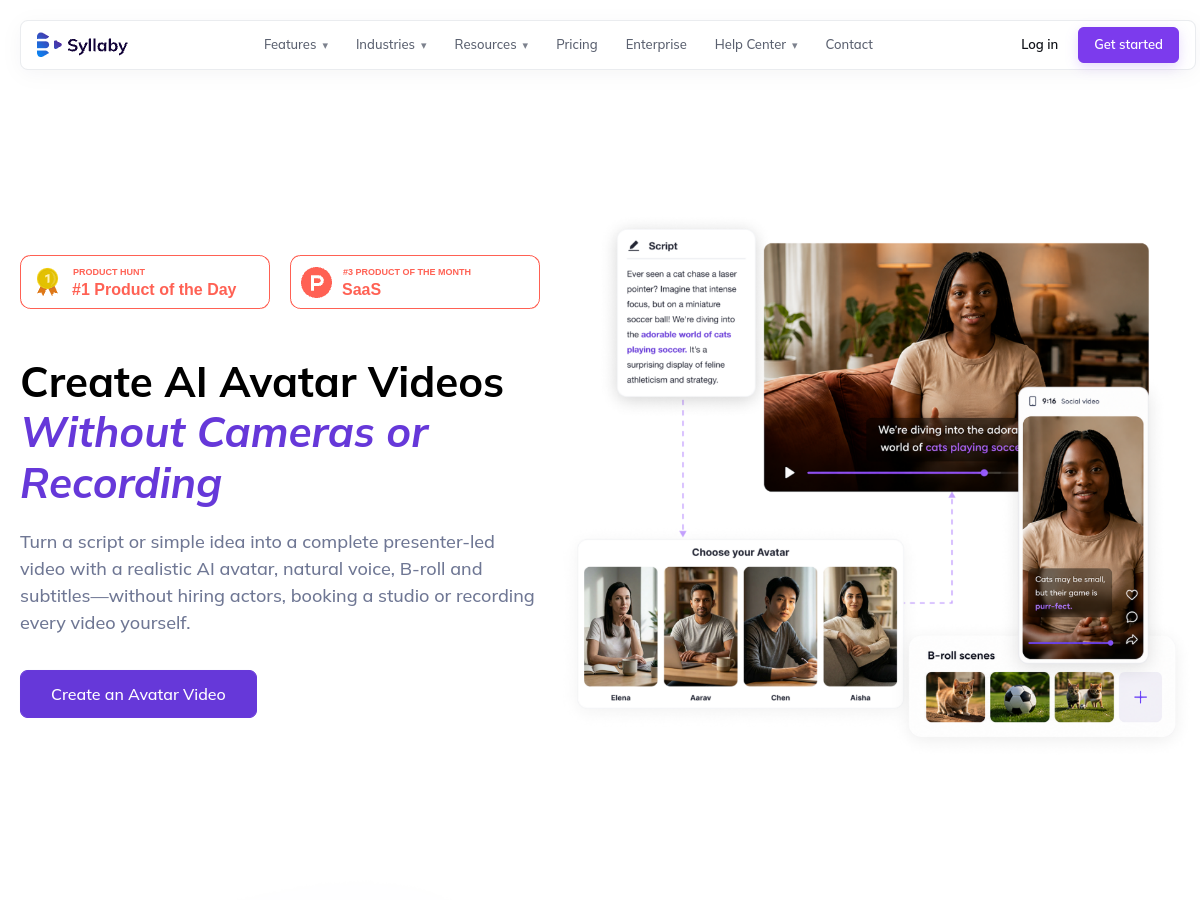
Syllaby Avatars 2.0 turns a script or idea into a presenter-led video using a realistic AI avatar, voice, B-roll and subtitles. The update focuses on more natural lip sync and customizable expressions for creators producing educational, marketing or social videos without filming an on-camera presenter.
Syllaby AI Avatar 2.0 screenshot 1

Around the internet

What people are saying

Public experiences, questions, and discussions.

No discussions collected yet.

Inside the toolkit

Key features

Reusable custom avatars

Create a named presenter from a description and optional reference images, then reuse that avatar across videos.


Scene-level editing

Add, remove, and edit video scenes in a visual editor.

Presenter voice controls

Change the voice to suit the message and chosen avatar.

B-roll and automatic subtitles

Add supporting B-roll and generate subtitles with customizable styles.

AI-assisted voiceover scripts

Use AI to draft or refine a voiceover script for an avatar video.

Where it fits

Use cases

  • Create presenter videos without filmingTurn a script or simple idea into a presenter-led video without recording a person on camera.
  • Make recurring branded videosReuse a generated presenter and keep a consistent visual identity across a series.
  • Produce education or marketing contentCreate presenter-led material for education, marketing, product communication, or recurring business content.

Keep exploring